
Jenna asked me the same question three different ways in one weekend before I finally gave her a straight answer. Theo was a few months old, she was standing in my kitchen with him on her hip and her phone in her other hand, and she was trying to settle the baby monitor question once and for all. Her friends all had the app kind. The registry list had the other kind. What she actually wanted to know was which one she would still be happy with in six months, when the novelty had worn off and it was just Tuesday again.
The short answer is this. If you want to set a camera on a shelf, switch on a handset, and never think about your router again, the ANMEATE 6 inch Video Baby Monitor is the one I would hand you. If you need to look in on a sleeping baby from an office across town, or you want a recorded clip of the funny thing that happened at naptime, a WiFi app monitor does that job better. Both are good tools. They are answering different questions, and most of the arguing online is just people answering the question they personally needed.
| ANMEATE Video Baby Monitor | A WiFi app monitor | |
|---|---|---|
| What it runs on | A dedicated parent unit with a 6 inch screen and its own 5000mAh battery, up to 12 hours with the screen on | Your phone, an app, a login and your home WiFi |
| Setup | Plug in the camera, switch on the parent unit, they are already paired | Create an account, confirm the email, join the camera to 2.4GHz WiFi, run the update |
| Reach | A closed 2.4GHz FHSS link between camera and handset, so it covers the house and the back porch | Anywhere with an internet connection, including another city |
| Picture | 720p with infrared night vision that switches over on its own | Usually 1080p, and often sharper on a large phone screen |
| Video history | Live only, nothing recorded or stored | Clips and replays, often tied to a subscription |
| When the internet drops | Keeps working, because the two units talk to each other directly | Goes dark until the router is back |
| Your phone | Stays in your pocket, screen off, no monitor notifications | Becomes the monitor, so every buzz might be the baby |
| Who else can watch | Whoever is holding the parent unit | Anyone you invite, from anywhere, with a login |
| Ongoing cost | None beyond the purchase | Hardware plus an optional cloud subscription for history |
| Best for | Everyday watching at home, or a second set of gear at a sitter's house | Parents who travel, want recordings, or need remote eyes |
Where ANMEATE Wins
The first advantage has nothing to do with the picture and everything to do with the fact that it never touches the internet. The camera and the parent unit talk to each other directly over a 2.4GHz FHSS link, which is a closed local connection. When the cable in our neighborhood blips out, which it does more often than I would like, the ANMEATE keeps right on working. I have watched an app-based monitor go dark in the middle of a nap because the router decided to install an update, and that is not a phone call anyone wants to make to a mother at work. A monitor that needs the internet to tell you the baby is fine is a monitor with one more thing that can break.
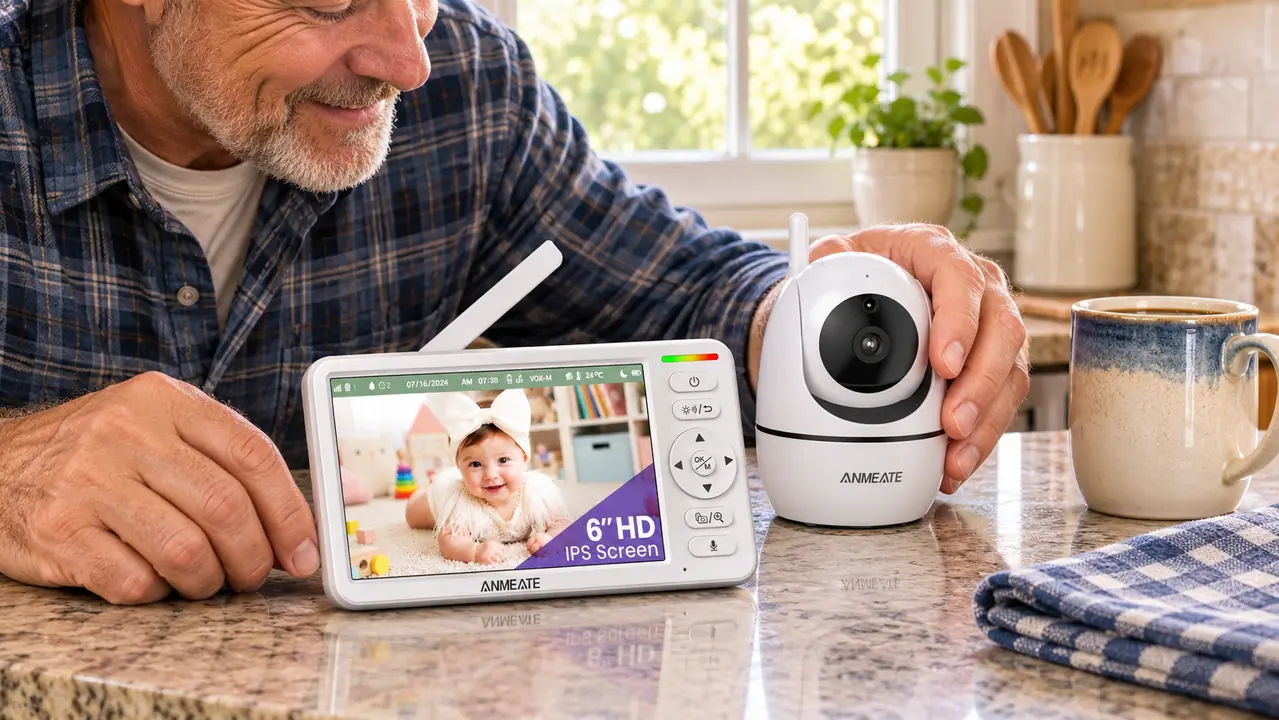
The second advantage is the handset. It has a 6 inch screen, so I am not squinting at a thumbnail trying to tell a pacifier from a shadow. It runs on a 5000mAh battery, and the listing puts that at up to 12 hours with the screen on and closer to 48 hours in audio-only mode. I have not sat there with a stopwatch, but I have carried it from the nursery to the back porch to the garden without hunting for a charger, and it held. The first Wednesday I had it, I carried the handset out past the birdbath to the far corner of my garden and pulled weeds for half an hour with a clear picture of an empty crib sitting on the little ledge beside me. That is two walls and most of a yard. The camera pans 355 degrees on the remote, tilts, and has infrared night vision that comes on by itself when the room goes dark. There is a 2x zoom on the handset, which sounds like a small thing until you actually need it. And the two-way audio means I can lean in and say I am right here, sweet boy, without walking back down the hall.
Where a WiFi App Monitor Wins
Now the honest part, because there is one. A WiFi app monitor usually gives you a sharper picture. Most of them run 1080p against the 720p here, and on a phone screen that gap is visible when you are trying to read a onesie from across the room. More usefully, the app kind records. If you want to rewind and see how the baby got from one end of the crib to the other, or save a thirty second clip of a first roll, the app does that and the ANMEATE does not. The ANMEATE is live only. What you see is what is happening, and then it is gone.
The bigger advantage is distance. An app monitor follows your phone anywhere it has a signal. Jenna works twenty five minutes away, and on a slow afternoon she likes to peek in and see that all is quiet. From her desk she can. From a parent unit she could not, because the parent unit stays in the house. That same feature lets you hand a login to grandparents in another state, which is either a lovely thing or a security question depending on your temperament and how well you know your relatives. Either way, it is something the ANMEATE simply cannot do.
The ANMEATE keeps working when the internet does not. The app monitor keeps working when you are not home. Pick the failure you can live with.
What Setup Actually Looks Like
I set both kinds up in my living room on the same afternoon, mostly out of stubbornness. The ANMEATE took about five minutes, and four of those were me finding an outlet behind the glider. You plug in the camera, you switch on the parent unit, and they are already paired. That is the entire process. The listing gives the mount type as ceiling, so you can hang the camera up out of reach if that suits your room. I thought about that and got as far as standing on a step stool with a drill in my hand, looking at the drywall in a house I have lived in for nineteen years, before I decided a shelf was plenty. Mine sits at eye level on a bookcase where I can move it when I vacuum.
The WiFi monitor took closer to half an hour, and none of it was hard, it was just long. Download the app, create an account, confirm the email, type in the WiFi password, wait for the camera to join the 2.4GHz network, wait for a firmware update, and then it works. Doing all of that while holding a baby is the part nobody mentions. Marcus did his in one sitting on a Saturday morning and said it was fine. Jenna did hers on a Tuesday with Theo in her arms and it took three tries, because the confirmation email landed in her spam folder and she did not think to look there until Thursday. If you are the person in your family who ends up doing the setting up, this is the section that matters.
Once both were running, the difference in daily use was smaller than the internet would have you believe. Both showed me a sleeping baby. Both switched to night vision when I turned off the lamp. The app looked better on a large phone screen and the handset was easier to carry from room to room. It is not a contest between good and bad. It is a contest between two reasonable sets of tradeoffs, and the tradeoffs only start to matter once you know your own house.
The one that still works when the cable goes out
A 6 inch parent unit, no app, no account, no router. If your house is anything like mine, that is the whole point.
Amazon Check Today's Price on Amazon →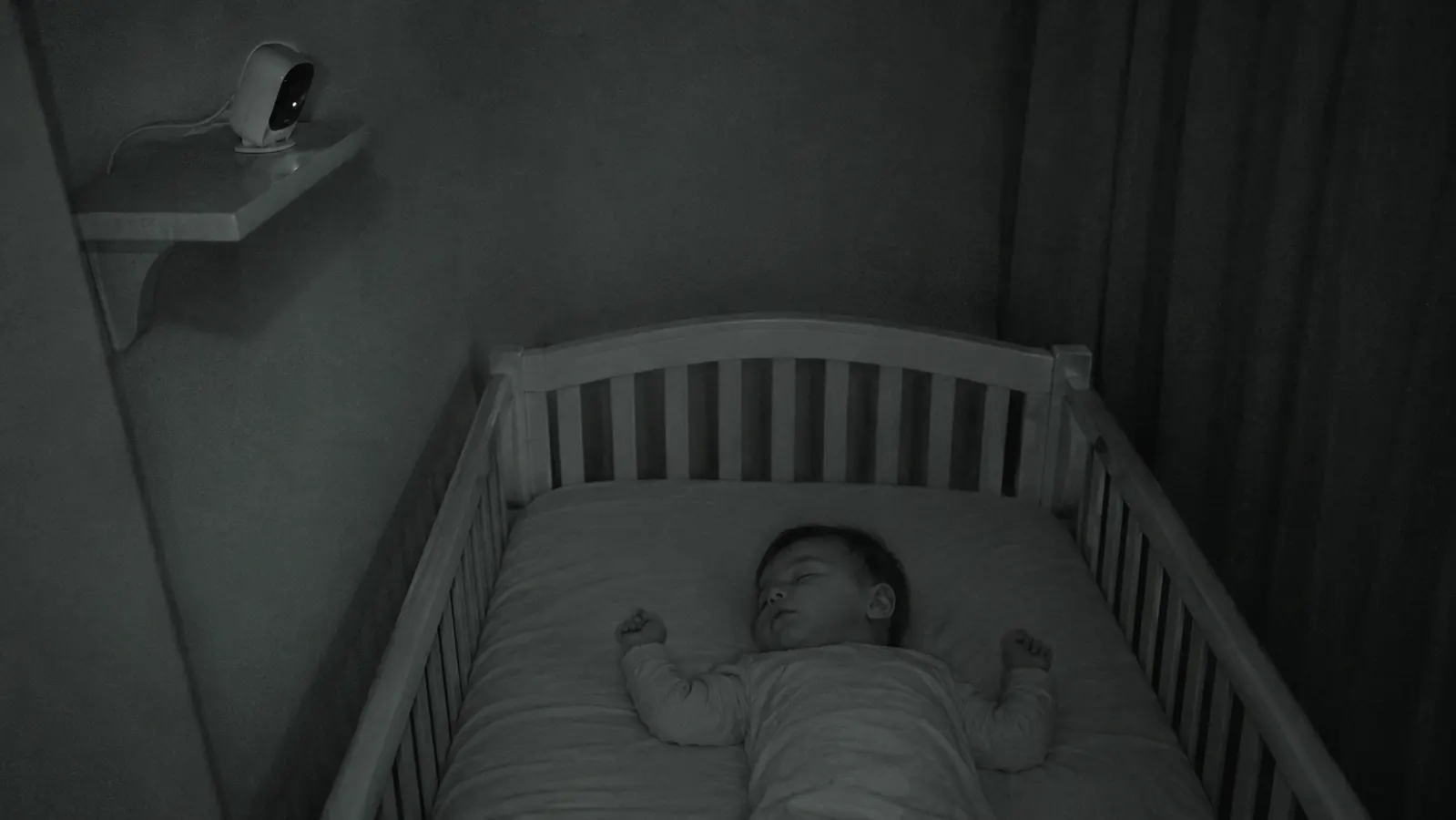
What a 3 A.M. Wake-Up Looks Like
Here is the test I did not think about until the third week. At three in the morning, what does each one ask of you? With the handset on my nightstand, I reach over and press a button. The screen comes on, dimmed, and there is Theo, asleep on his back in a bare crib with nothing else in it, exactly the way he should be. That is the whole interaction. I put the handset down and go back to sleep. The night in July when he had his first cold and I was up every ninety minutes anyway, that handset sat next to my reading glasses and I never once had to turn on a lamp to check on him.
With a phone-based monitor, that same moment goes like this. Find the phone. Wake the phone. Unlock it. Find the app. Wait for it to connect. Then get a bright white screen six inches from your face at three in the morning, which does wonders for getting back to sleep afterwards. It is not a fatal flaw, and millions of parents do it every single night. But it is friction, and friction at three in the morning adds up over a year.
Where the app wins at that hour is information. Some of them log sleep and report the room temperature, and if you are the sort of person who likes data, that is genuinely useful at four in the morning when you are trying to work out whether the baby is cold. The ANMEATE gives you a picture and a microphone. That is what it does, and it does it without asking you to unlock anything first.
The Second Set of Gear Problem
Here is the part that decided it for us, and it has nothing to do with either spec sheet. I watch Theo at my house three weekdays a week while Jenna works, which means a second set of everything: a second bassinet, a second place to put a baby down, a second spare outfit in the diaper bag. The monitor question came up twice, once for her house and once for mine, and the answers were not the same.
For my house, the answer was easy. I am not going to ask my daughter's router for permission to see my own grandson, and I am not going to be the reason her phone buzzes at work every time I switch a camera on at my kitchen table. The ANMEATE sits on my counter, pairs to its own handset, and nobody else's phone is involved. When Theo goes down for his morning nap I carry the handset out to the porch with my coffee and it reaches fine. That is the entire feature list I needed, and it came from knowing where I would be standing, not from reading a box.
Jenna did bring her app monitor over one Monday so I could try it my way. I spent ten minutes typing a WiFi password into a phone with a baby on my shoulder, handed him off, tried again, and finally got a picture that stuttered every few seconds from the back of my house. It is not that the app was bad. It is that my kitchen sits at the back and the signal is thinner there than it is in the living room, and I could see it while Theo was twenty feet away and perfectly fine the whole time. I handed the phone back and that was the end of the experiment for me.
Who Should Buy Which
Buy the ANMEATE if the baby is mostly watched in one place by one or two people, if your internet is not something you would bet a nap on, if you want your phone to stay in your pocket, or if you are putting together a second set of gear at a grandparent's house. It is also the one I would pick for anyone who finds accounts and permissions exhausting, which is most people over sixty and a fair number under it.
Buy a WiFi app monitor if you travel, if you want recorded clips, if a sharper picture matters to you, or if you genuinely need to look in from a distance and share that with family. Those are real needs and the ANMEATE cannot meet them. What I would not do is buy the app monitor because it feels more modern. Newer is not the same as easier, and easier is the thing you will actually want at three in the morning in month four.
If your WiFi has ever dropped in the middle of a nap
The ANMEATE runs on its own closed 2.4GHz link with a parent unit that holds a charge all day. No app, no account, no router, no one else's phone.
Amazon Check Today's Price on Amazon →